CNC 101 - Intro to CNC with the Nomad Pro
About this Workshop
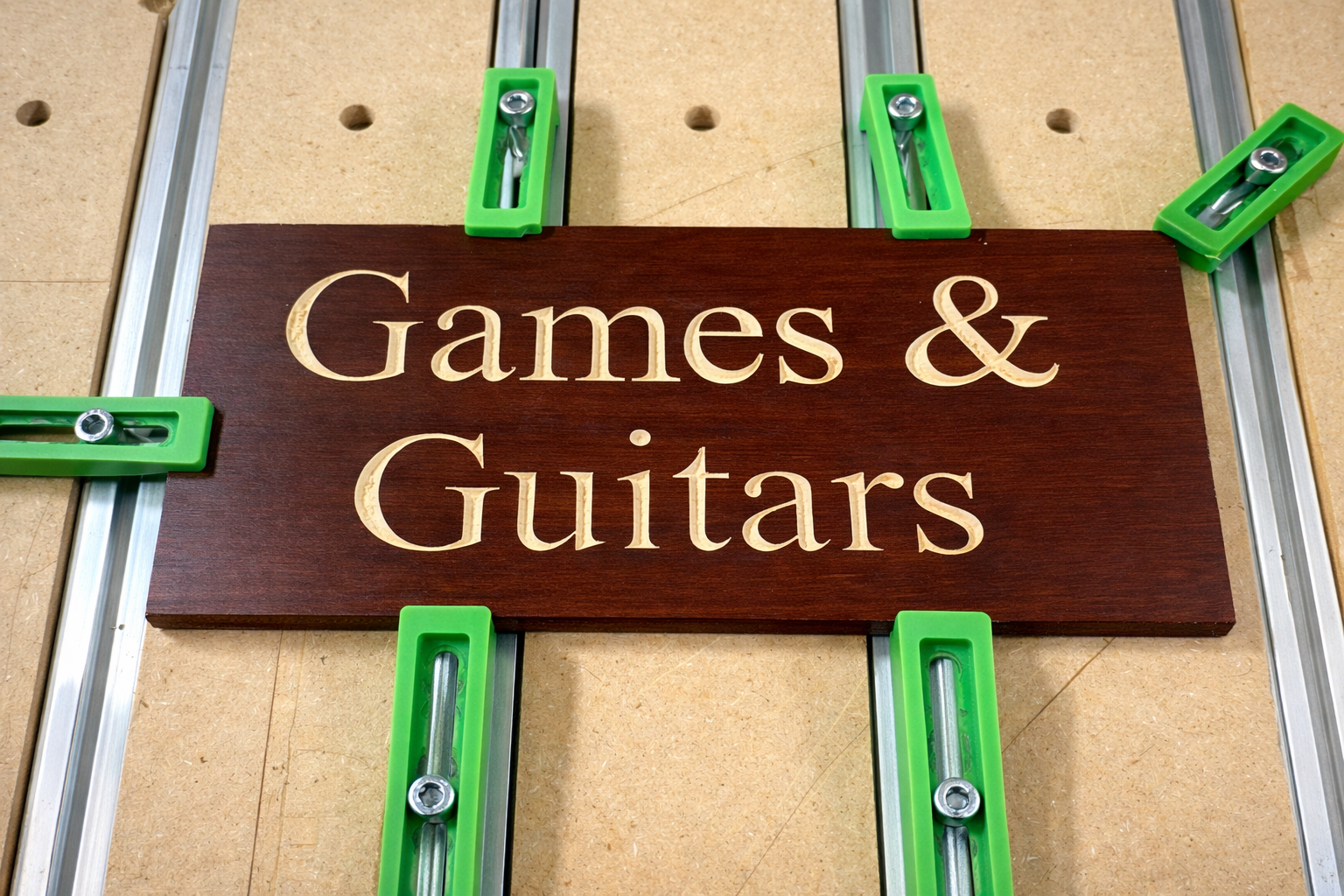
This CNC 101 workshop is a beginner-friendly, hands-on introduction to computer-controlled machining using the Carbide 3D Nomad Pro desktop CNC mill. Designed for makers with little to no CNC experience, this class will walk you through the complete workflow from digital design to a finished part while emphasizing safe and proper use of the machine.
Participants will learn how CNC milling works, what materials can be used, and how to prepare and run jobs on the Nomad Pro. By the end of the workshop, you’ll understand how to securely set up material, load tools, and confidently run a basic CNC program.
What You’ll Learn
-
What CNC milling is and how it differs from 3D printing and laser cutting
-
Overview of the Nomad Pro CNC and its capabilities
-
Safety procedures and best practices
-
Basic tooling and materials (wood, plastics, aluminum)
-
How to prepare a simple design for CNC machining
-
Workholding, zeroing, and running a job on the Nomad Pro
What’s Included
-
Live demonstration of the Nomad Pro CNC
-
Guided walkthrough of a sample project
-
Creation of your own part
Who This Workshop Is For
-
Beginners with no prior CNC experience
-
Makers interested in precision parts, woodworking, artistic projects
-
Members looking to earn CNC access at the makerspace
After the Workshop
Participants who successfully complete CNC 101 will be eligible to use the Nomad Pro CNC at the makerspace and eligible to enroll in the CNC 102 - Intro to the 4'x 4' Shapeoko CNC
Requirements
-
Bring a laptop with Carbide Create installed. Download it for free here. Available for both Mac and Windows.
-
Participants must be over the age of 14 to attend and over 18 to obtain makerspace membership
Meet your Instructors
Vladimir Mariano
Vladimir Mariano is a maker, educator, and community builder with extensive experience in digital fabrication and design. He runs a community makerspace and teaches hands-on workshops focused on tools such as 3D printers, laser cutters, and CNC machines. In addition to in-person instruction, Vladimir creates online courses through Desktop Makes, where he teaches students how to design and build their own projects using Autodesk Fusion and modern fabrication tools. His teaching style emphasizes clear, easy-to-follow workflows, helping makers move from first exposure to confident, creative use of the tools.
Workshop Ended
This workshop has already taken place. Enrollment is closed.